Using a home simulator for basic flight training
| 8 minutes read, 1508 wordsCan a home simulator like Microsoft Flight Simulator (MSFS) or X-Plane be beneficial for a student pilot during basic training? If so, which one is best? And what can you actually use it for? Let’s dive into it!
Note: this blog post, recommendations and comparisons relates to basic training, meaning a regular old Cessna 172 - not a modern Airbus or other airliner.
Simulator or game?
Home flight simulators have come a long way since the early days of Microsoft Flight Simulator, a very long way. They may have started out as pure games, but today you will find professional commercial simulators running the same software as you can run on your home computer.
When flying at altitude in MSFS 2024, the scenery is almost identical to that you will see out the window of your regular flight school aircraft. So without diving any deeper than that, we can already make the conclusion that for cross country flights, the home simulator will provide value to a student pilot.
In my experience as an instructor, new students that have previous home simulator experience, will feel at home in the cockpit and instantly recognize all the instruments. This alone will help you through the initial parts of your basic training.
The most important is to treat it as a simulator, not a game. Use your actual checklists. Do things the same was as you would in the real world.
Hardware
To get the most of your simulator, you will need some hardware. Preferably something that is close to what you are going to use in your own aircraft.
I recommend you get a yoke/joystick (depending on your training aircraft), throttle quadrant and pedals. The pedals are a must have item.
Some recommendations:
VATSIM
One of the areas where you can really benefit of a home simulator, is communications. By connecting to the VATSIM network, you can practice your radio calls without having to pay for expensive aircraft rental and flight instructor time. VATSIM is available for both MSFS, X-Plane and Prepar3d
Microsoft Flight Simulator 2024
Microsoft Flight Simulator 2024
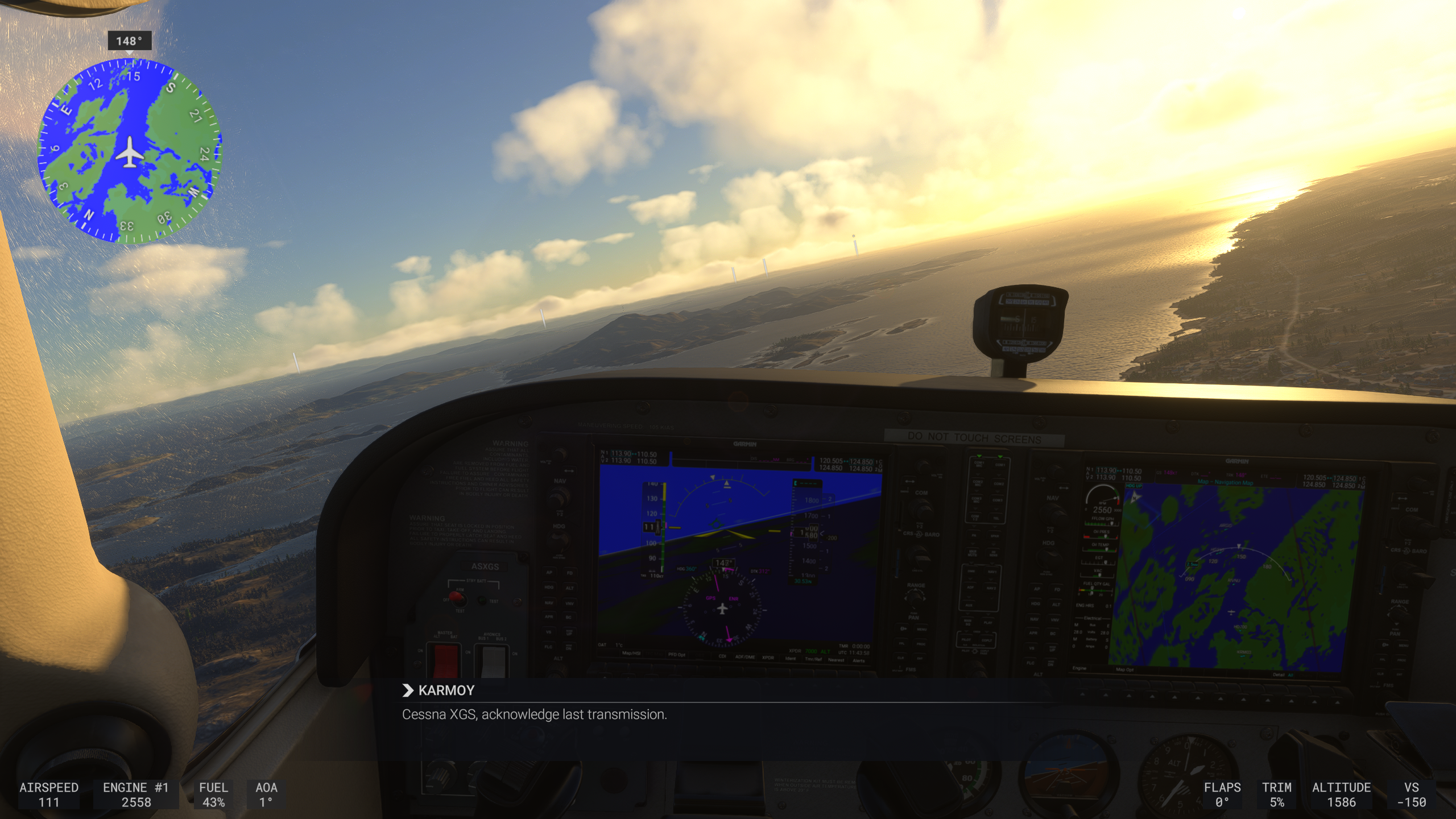
Screenshot from Microsoft Flight Simulator 2024, outside of Karmøy
Pros of MSF S2024
The scenery is very detailed, and in some areas very close to the real world. In other areas, it’s not as good unless you either purchase addons or download community addons.
Shortcomings of MSFS 2024
Stock airports can be quite different from the real world airports.
Although better than MSFS 2020, the physics aren’t simulated particularly well for smaller general aviation aircraft. For example, stalling the stock Cessna 172, will cause it to instantly spin. This is not even remotely close to what happens in the real world.
This makes it less ideal for maneuver training.
MSFS suffers from frequent crashes and is more prone to bugs than other simulators.
X-Plane 12
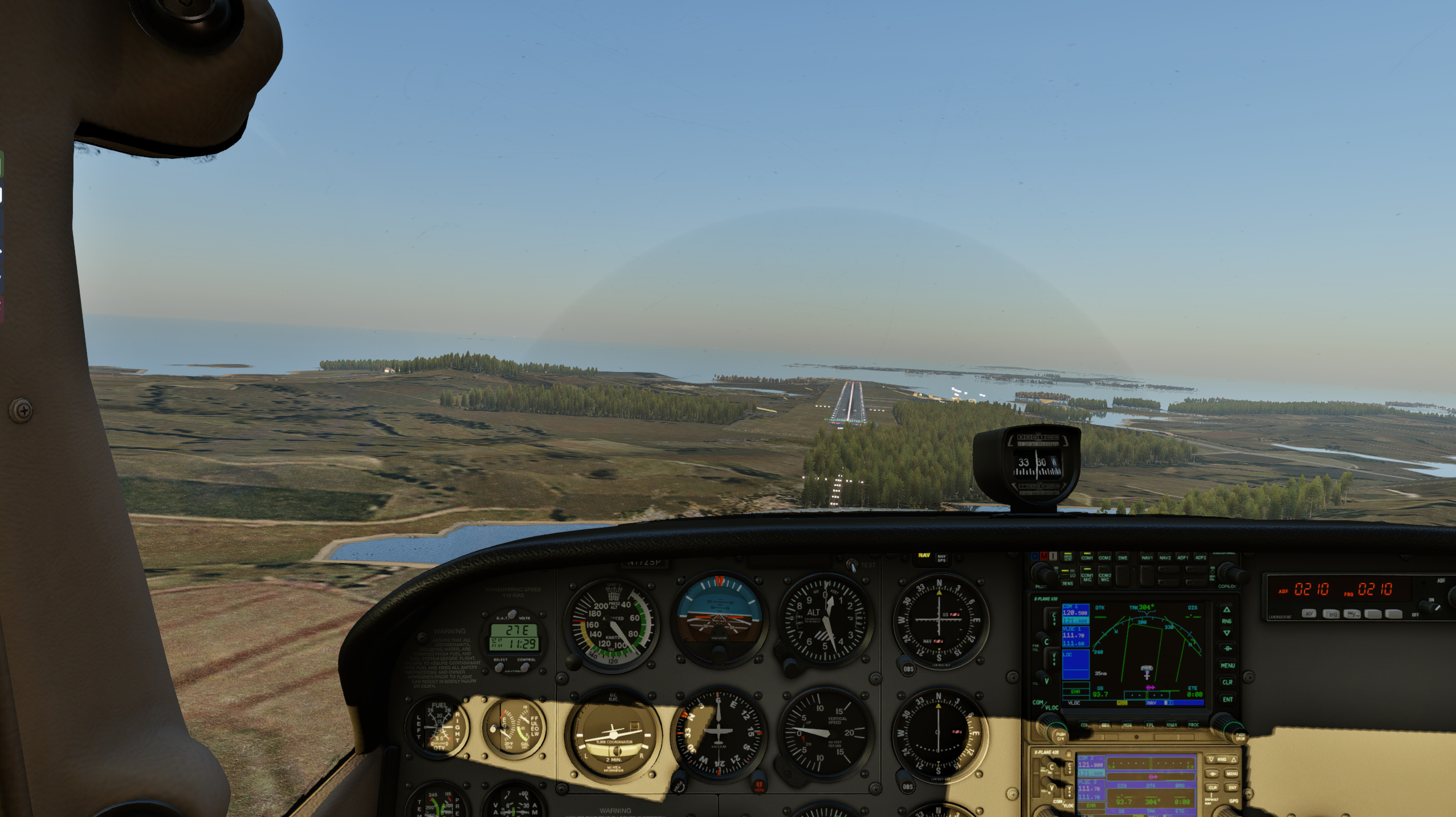
Screenshot from X-Plane 12, on final runway 31 at ENHD
Pros of X-Plane 12
Physics are simulated very close to reality, making this the best option for actual flight characteristics. When paired with the Reality Expansion Pack, aircraft systems also behave realistically. For example, if you don’t lean the mixture - your spark plugs will foul in X-Plane with the Reality Expansion Pack. Lock your brakes during landing? Tires explode.
X-Plane has a very good replay mode, allowing you to instantly replay what you just did (simply press Alt+R) - in any camera angle.
X-Plane is cheaper than MSFS, has faster loading time, and is more stable.
Shortcomings of X-Plane 12
Stock airports can be quite different from the real world airports, and there are less community addons available than for MSFS. Scenery is generally less detailed and realistic than MSFS. However, there are addons available that will improve the scenery.
So what can you do with a home simulator?
Familiarization in the aircraft
🕹️ Hardware required: None
⌚ When: Whenever
This is where you get value instantly. Load up the aircraft closest to your flight school/club aircraft at your home airport, and you instantly have the best tool in the world for chair flying.
Need to learn a new aircraft? A new system, like Garmin G1000? Just load it up in the simulator, and start twisting the knobs to see what happens. We can call this chair flying 2.0.
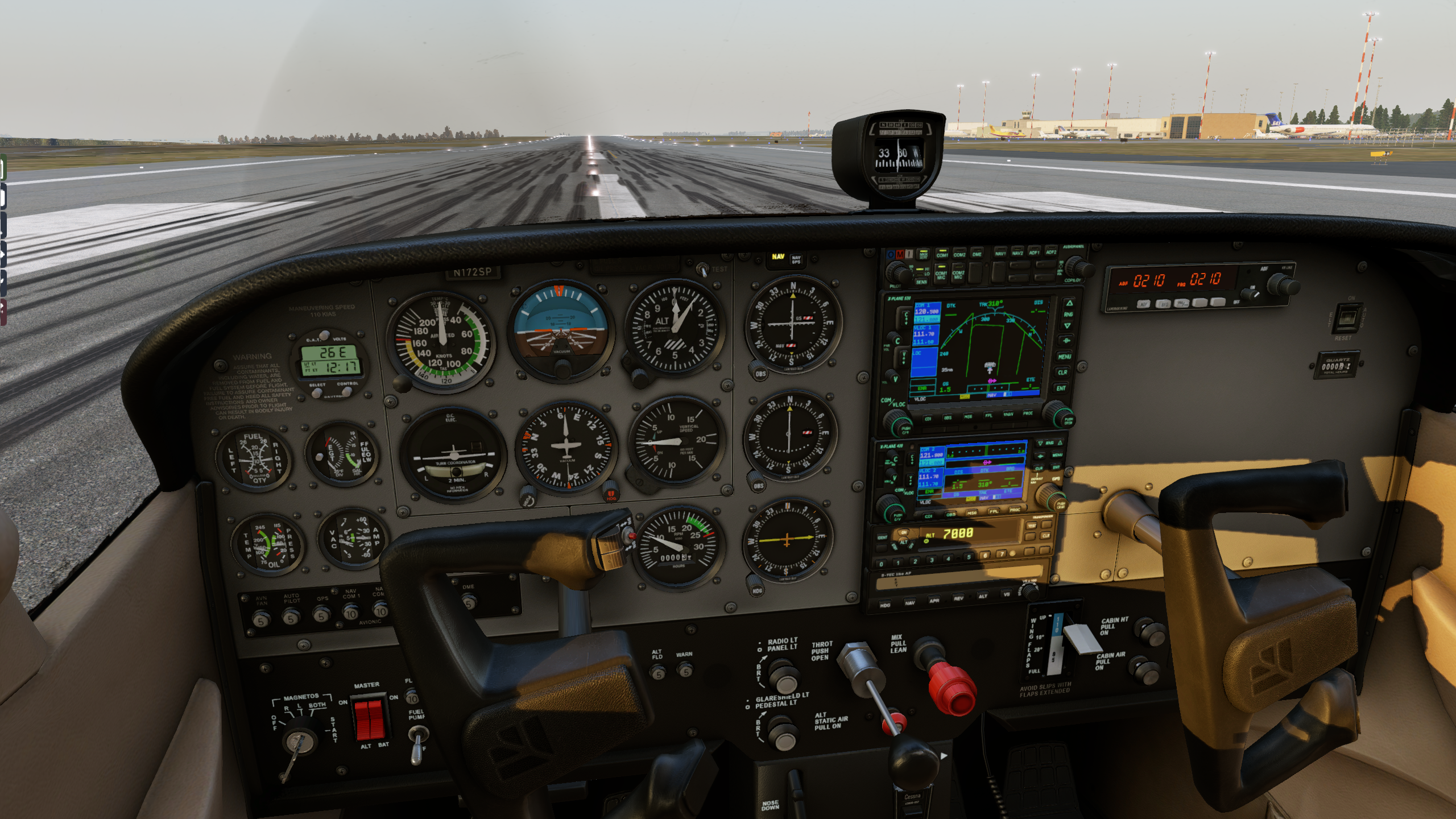
A Cessna 172 cockpit in X-Plane 12
Ground handling and taxi
🕹️ Hardware required: Pedals
⌚ When: Whenever
When paired with the Reality Expansion Pack and hardware pedals, X-Plane can be a great tool for learning to handle the aircraft on the ground. Learning to taxi can be difficult for some, as you have to transition from using your hands to steer to instead steer using your feet. Doing this in the simulator can potentially save you a lot of money.
Communications
🕹️ Hardware required: None
⌚ When: Whenever
By using VATSIM or similar platform, where you talk to actual people, you will gain the exact same experience as you would in a real aircraft. This is simulation as close to reality as you can get it.
Follow the proper procedures, use the proper phraseology, and if possible fly in the same airspace as you would in the real world.
Navigation and familiarization at new airports
🕹️ Hardware required: None
⌚ When: Whenever
When preparing for your navigation flights, it can be beneficial to first fly the route in your simulator. Or at the very least the approach, landing and taxi, at the airport you intend to fly to. Doing this in the simulator, will make it easier for you when you get to the actual airport. The taxiways will feel familiar, almost like you’ve been there before.
This is the one area where MSFS paired with good addons, will give you the best value.
If you use your tablet of phone for navigation
Most mobile mapping apps can be connected to both X-Plane and MSFS, allowing you to use the same device as you are going to use in the real world.
Emergency procedures
🕹️ Hardware required: None
⌚ When: After you’ve done it with your instructor
Simulators really are at their best when it comes to emergency procedures. You can do things you can’t, or at least really shouldn’t, do in the real world. Switching of the engine on short final? Unsafe in the real world, safe in the simulator. How possible is the impossible turn? Try it, in the simulator.
Have your checklists memorized? Practice in the simulator, using your real checklists.
Crosswind landings
🕹️ Hardware required: Yoke/joystick, pedals
⌚ When: After you’ve done it with your instructor
As long as you have the proper hardware, practicing crosswind landings in the simulator can be highly beneficial. But only after you reached the landing stage with your instructor. You want to reinforce and practice the correct technique, after you’ve learned it - not figure it out on your own.
Instrument training
🕹️ Hardware required: None
⌚ When: After you’ve done it with your instructor
This is outside of my own area of knowledge, but it is obvious that for instrument pilots a home simulator can offer great benefits. Procedures and instruments are where a simulator really is at its peak, and here the shortcomings of any of the two simulators mentioned here really doesn’t matter.
Comparison and my recommendations
TL;DR: X-Plane is best for actual training, but if you can use both - use both
Microsoft Flight Simulator is a game that happens to be realistic, while X-Plane is a real simulator.
| X-Plane 12 | MSFS 2024 | |
|---|---|---|
| Checklists, instruments and procedures | ⭐⭐⭐⭐⭐ (equal) | ⭐⭐⭐⭐⭐ (equal) |
| Navigation | ⭐⭐⭐⭐ | ⭐⭐⭐⭐⭐ (best) |
| Familiarization at other airports | ⭐⭐⭐⭐ | ⭐⭐⭐⭐⭐ (best*) |
| Realism | ⭐⭐⭐⭐⭐ (best**) | ⭐⭐⭐ |
| Ground handling | ⭐⭐⭐⭐⭐ (best) | ⭐⭐⭐⭐ |
| Landing training | ⭐⭐⭐⭐⭐ (best) | ⭐⭐⭐⭐ |
| Communications (VATSIM) | ⭐⭐⭐⭐⭐ (equal) | ⭐⭐⭐⭐⭐ (equal) |
* when paired with custom scenery/addons ** when paired with the SimCoders Reality Expansion Pack
X-Plane 12 with the Reality Expansion Pack is my clear recommendation. It is more realistic, less prone to crashing and offers the most value.
However, simply using both will allow you to get the best from both worlds - and use the best simulator for each session.
Home simulators lack the feel of the aircraft, which you can only get in the real thing. But used correctly, it will help you in your journey to becoming a real world pilot.
A word of caution
Although simulators may be a very useful tool, they may also cause you to establish bad habits that can be very hard to let go of. Used correctly, simulators can greatly benefit your flight training. Used wrongly, simulators will do the exact opposite - leading to increased costs.
Follow the tips you get from the built in flight training in your simulator. Use the simulator to reinforce what your instructor has taught you. And don’t develop bad habits in the simulator - they will cary through to the real world.